

Workflow Analyzer
Workflow Analyzer is a static code analyzer that ensures your project meets high quality and reliability standards. When triggered, it uses the configured rule set to check the project or workflow for inconsistencies without executing the project. It logs the errors found in the Error List panel, under the rule action.
Using the Workflow Analyzer, you can:
- Edit, disable, and enable rules from studio.
- Run validation or validation and analysis at file or project level.
- Manage errors and warnings in the error list panel.
- Build custom rules using the UiPath. Activities. API package.
- Integrate workflow analysis with prebuilt and/or custom rules in CI/CD pipeline configurations.
Need of Workflow Analyzer
Workflow analysis plays a central part in project development. It is a tool for making sure your projects follow best practices, thus ensuring higher quality, reliability, and readability.
It is also used to enforce governance policies using file-based governance and UiPath Automation Ops.
Managing Rules
The project or file is analyzed based on a set of rules available in the Project Settings window:
- In the Project panel, click the
icon, then select Workflow Analyzer.
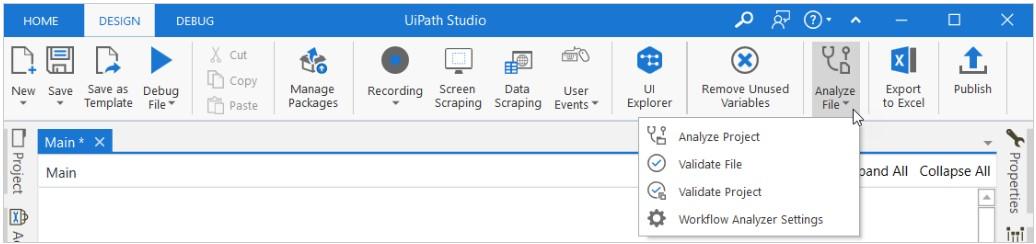
- In the ribbon, click the Analyze File button, then select Workflow Analyzer Settings from the dropdown.
By default, rules are arranged by code in the window, and enabled rules are displayed first.
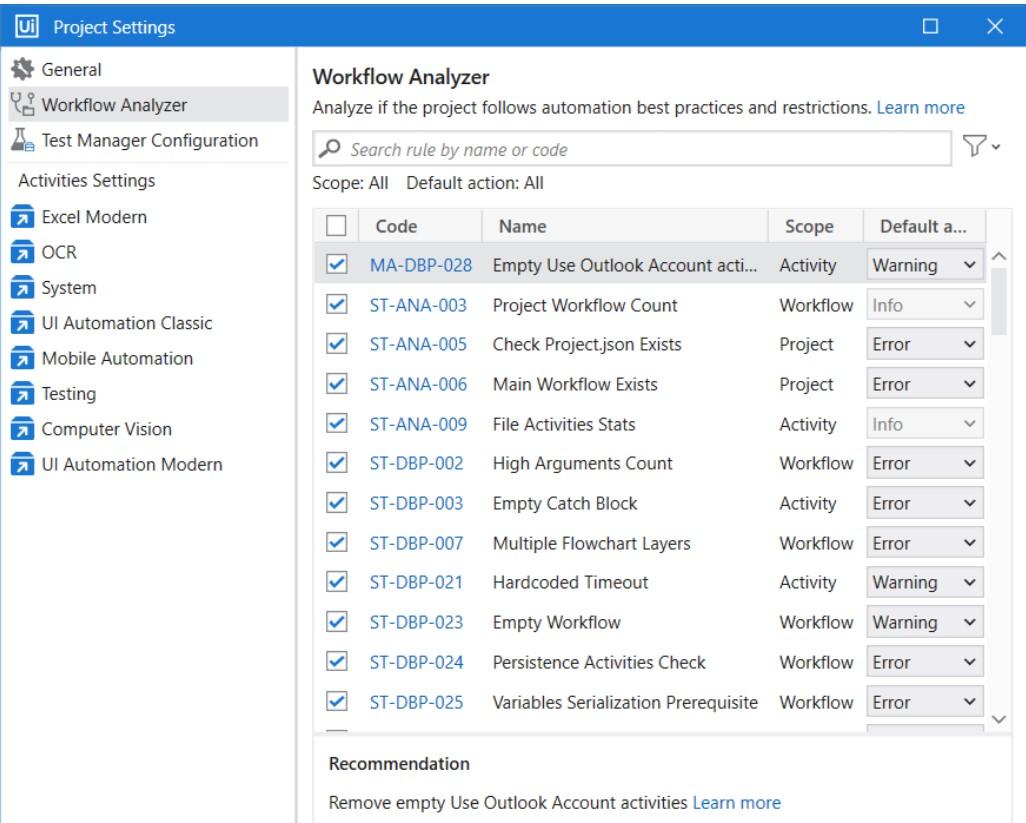
Workflow Analyzer rules categories
In the analysis stage, your project is checked against a set of predefined rules applicable to studio.
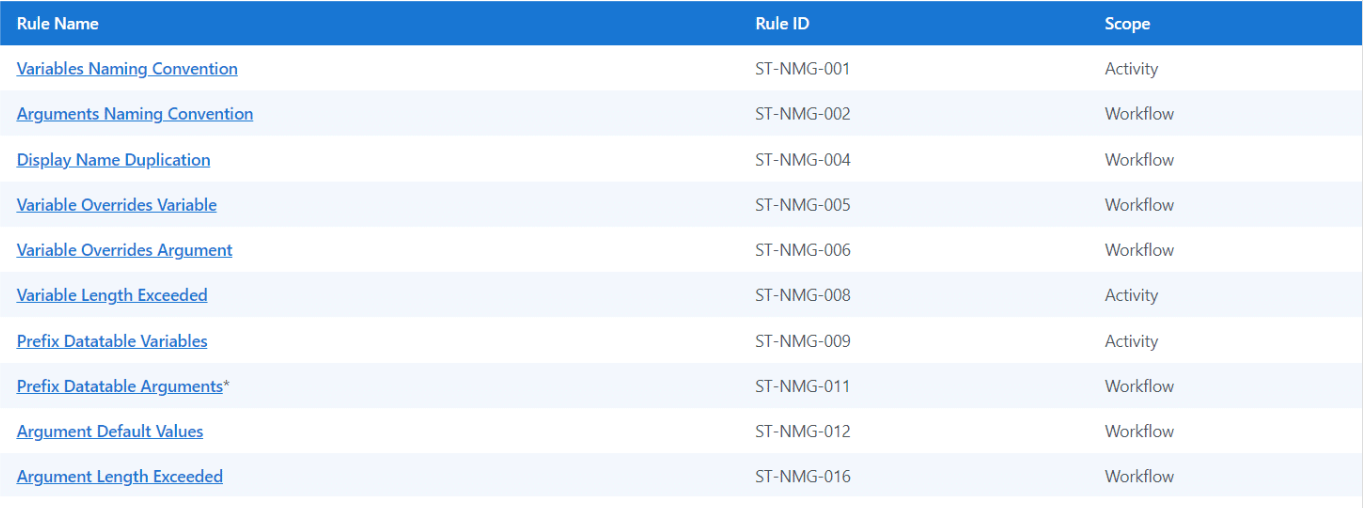
Rules Naming Convention
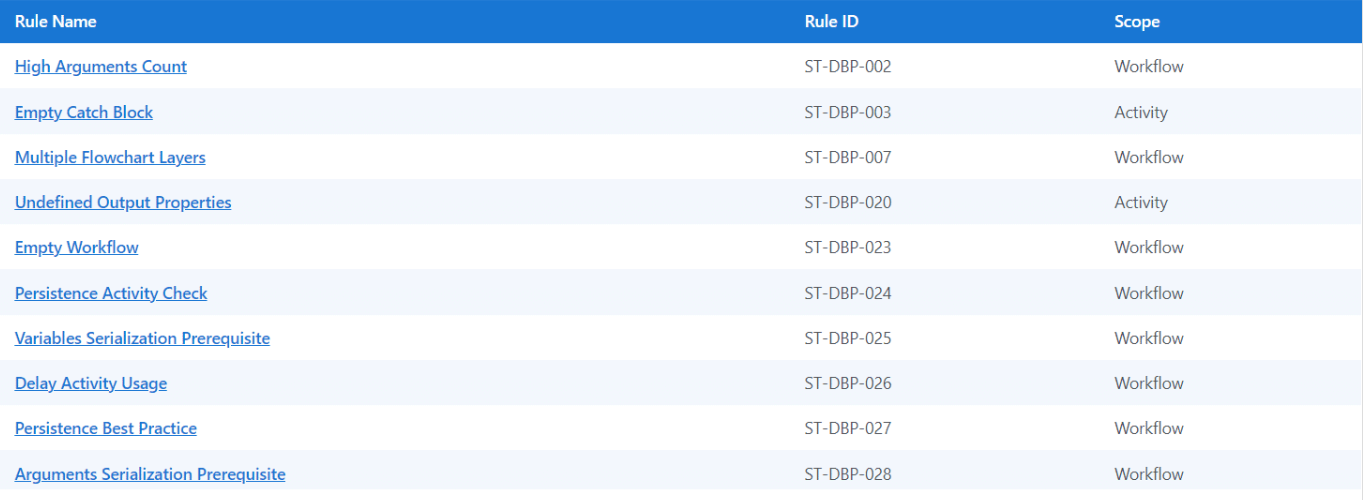
Design Best Practices
Project Anatomy Rules

Maintainability and Readability
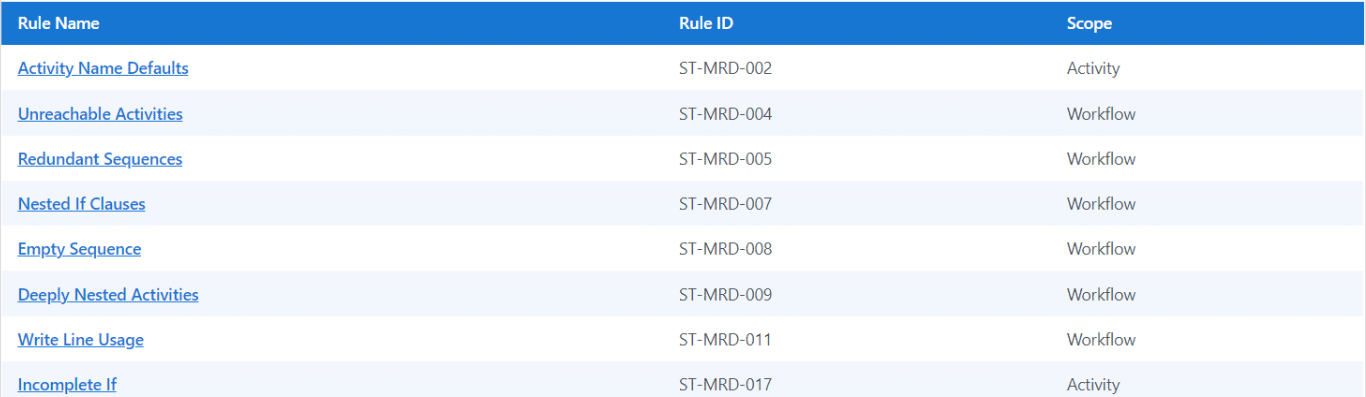
Usage Rules
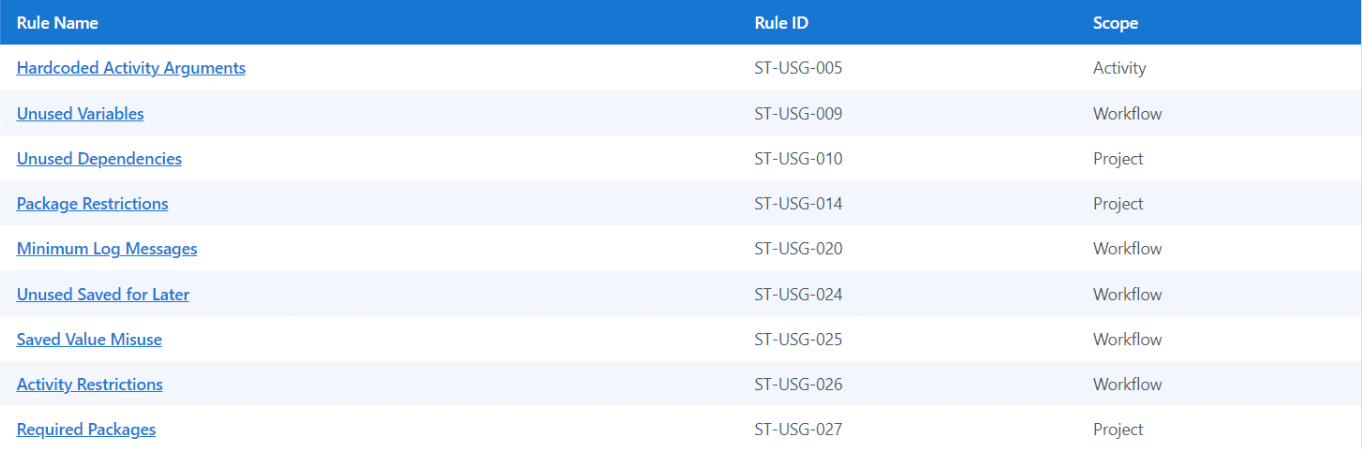
Performance and Reusability

Reliability Rule

Security Rules

Exporting results
You can configure studio to export the results of each workflow analysis to project folder.
Go to studio backage view > settings > Design and enable the option export Analyzer
The file will contain following information about each enabled rule
- Ruled
- Ruled Name
- Parameters
- Severity
- Errors Description